
How to build an author website in one conversation
A working walkthrough for writers: what to prepare, the exact brief to type, which pages to keep, and how to wire a free-chapter magnet into your reader list on launch day.
Most author websites die at the same point: somewhere between choosing a theme and writing the About page, the writer realises they have spent two writing days on a site that still looks unfinished, and they close the tab.
We have watched this happen a lot. James Cook Media built 300+ client sites and funnels, and authors were consistently the group with the widest gap between what they needed and what they were willing to build. Not because they lack taste — because the tooling asked them to become a designer for a week.
An author site is not a design problem. It is a list-building problem wearing a design problem’s clothes.
The list is the asset. Books change publishers, retailers change algorithms, and social platforms decay. The email addresses of people who finished your last book are the only distribution you own. Everything below is arranged around getting that working on day one, not month six.
What to have ready before you start
Not a design brief. Two minutes of thinking, written in a notes app:
- Genre and shelf. “Cozy mystery,” “literary fiction,” “practical books about small business.” One line.
- Your reader. Who finishes your books and recommends them. One sentence, and be specific — “women who read four Louise Penny novels a year” beats “mystery fans.”
- Your titles. Names, publication order, and which ones belong to a series.
- Where they can be bought. Amazon, Bookshop, your publisher’s store, a signed-copy link if you sell direct.
- Your giveaway. The thing worth an email address: first chapter, a prequel novella, a resource list, a character map.
- Events, if you have any: readings, festivals, workshops, a launch.
That is the whole preparation. No colour palette, no competitor research, no sitemap. If you have a headshot and a cover image or two, put them somewhere you can find them, but you can launch without them and add them later.
The brief to type
You start by describing the business in chat. For an author, the brief that produces a good first pass looks like this — concrete, ugly, and honest:
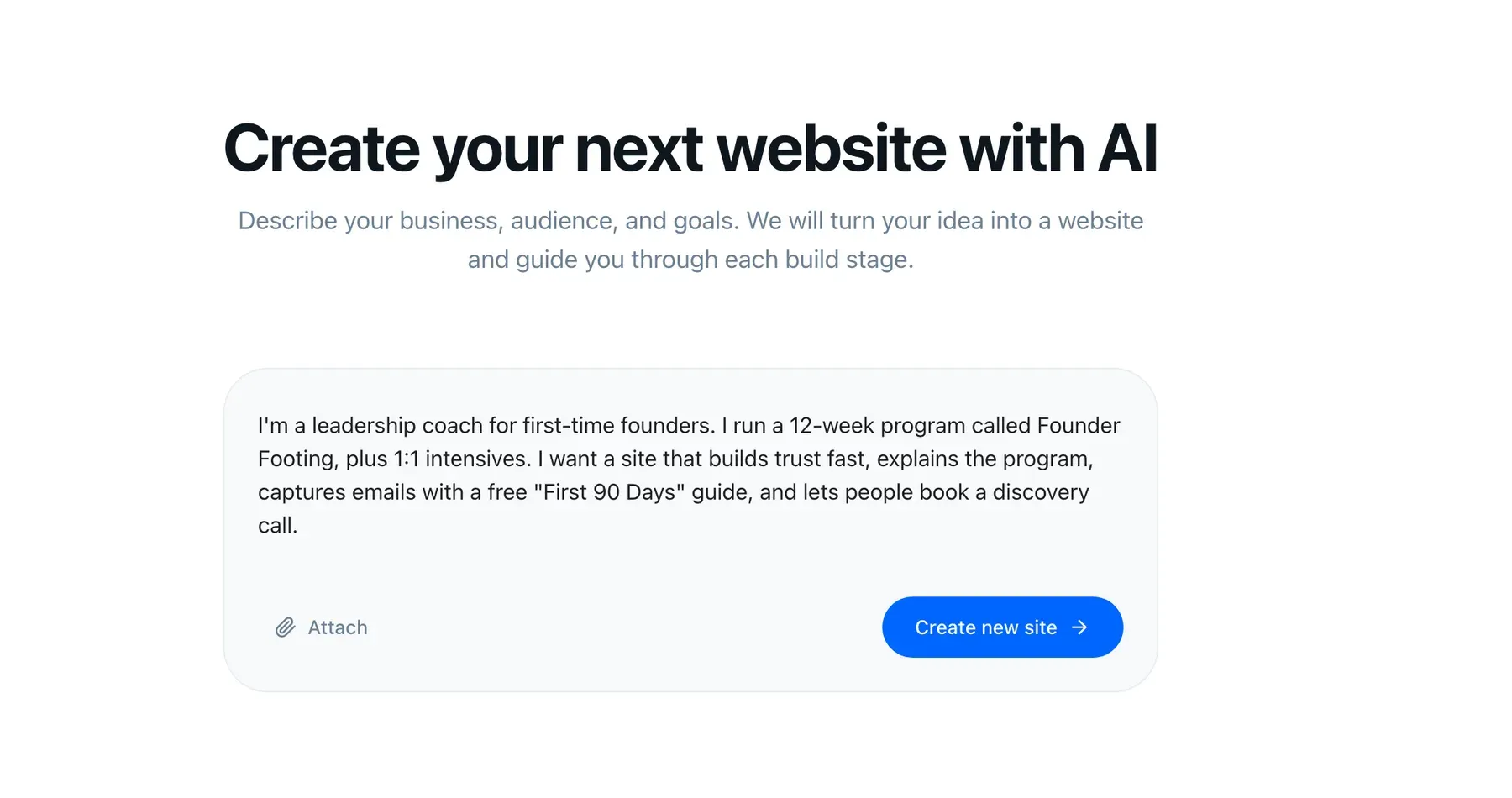
Write it roughly like this:
“I write cozy mysteries. Three books out, the Harbour Lane series, plus one standalone. My readers are people who read four or five mysteries a year and want somewhere gentle to spend an evening. Books are on Amazon and Bookshop, and I sell signed copies myself. I give away the first two chapters of book one to get people onto my newsletter. I do about six library events a year and I want them listed. Voice should be warm, not corporate.”
Two things make that brief work. First, it names the reader, not just the genre — which is what shapes the copy. Second, it states the giveaway, which is what lets the build wire up the list rather than leaving you a contact form.
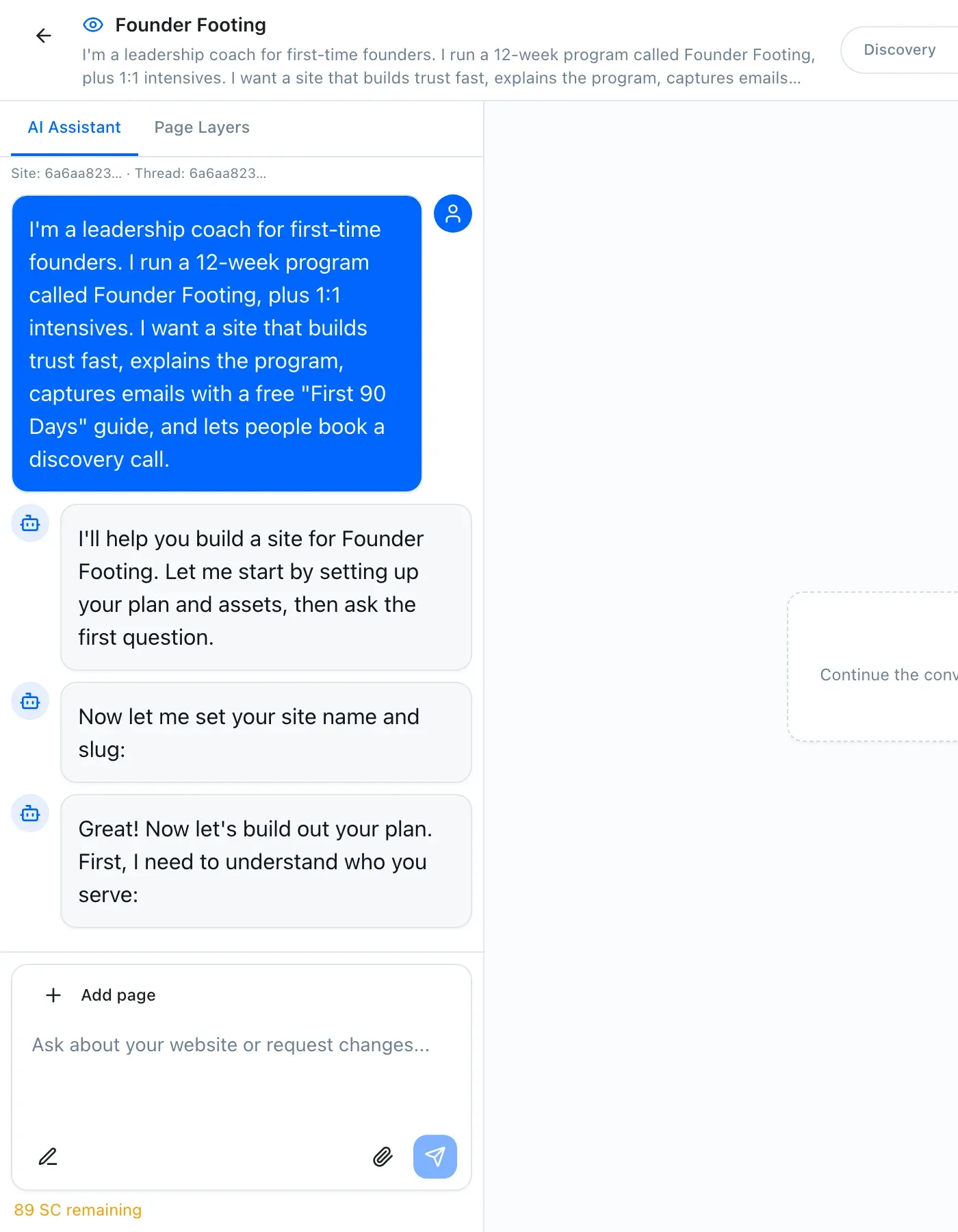
Then you approve three things in order: the visual style, the sitemap, and the wireframes. You can reject any of them and ask again. Nothing gets written until the structure is one you agree with. That sequence is the same for every StoryPages build — how it works covers it end to end.
What gets proposed, and what to keep
For an author brief you should expect roughly this sitemap:
Home — who you are, the current book, the newsletter offer above the fold. Books — an index, then a page per title. About — the writer bio, not a CV. Events — dated, with a graceful empty state. Newsletter — the actual signup page with the magnet described properly. Contact — including a rights and speaking line if that applies to you.
Keep all six. The temptation is to cut Events because you only do a few a year, and Newsletter because there is already a form on the home page. Both are mistakes. Events pages get found by librarians and festival programmers searching your name plus a city. A dedicated newsletter page is the URL you paste into your book’s back matter, your podcast bio, and your social profiles — it needs to exist independently of the home page.
The changes worth making, and the ones that are not
After the first build lands, spend your editing energy in three places.
Series structure. If you write series, ask for a series page that sits above the individual books, with reading order stated explicitly at the top. Readers arriving from book three need to know what came first, and every model answering “which order do the Harbour Lane books go in” needs a page that says so plainly.
Buy links. Ask for the retailer order you actually want, and make sure every book page has all of them. Authors routinely lose Bookshop and direct sales because only the Amazon link made it onto the page.
The About page. This is the page you should personally rewrite. The draft will be competent and slightly generic, because a model does not know that you wrote the first book in a hospital waiting room. Fix the first two paragraphs and leave the rest.
What is not worth your time: font pairing, hero image cropping, moving sections by twenty pixels. Editing is a sentence to the assistant in the left rail — which also means it is available in month four, when a real reason to change something appears.
Wiring the reader magnet into the CRM
This is the step that separates a website from a platform, and it is the one most author sites never complete.
The newsletter form on your site writes into the built-in CRM. Each submission becomes a contact, tagged with where it came from — the free chapter, the events page, an ARC signup. The tag is what makes the list useful later: when book four is announced, “people who took the Harbour Lane sample” is a different email than “people who requested an ARC of book three.”
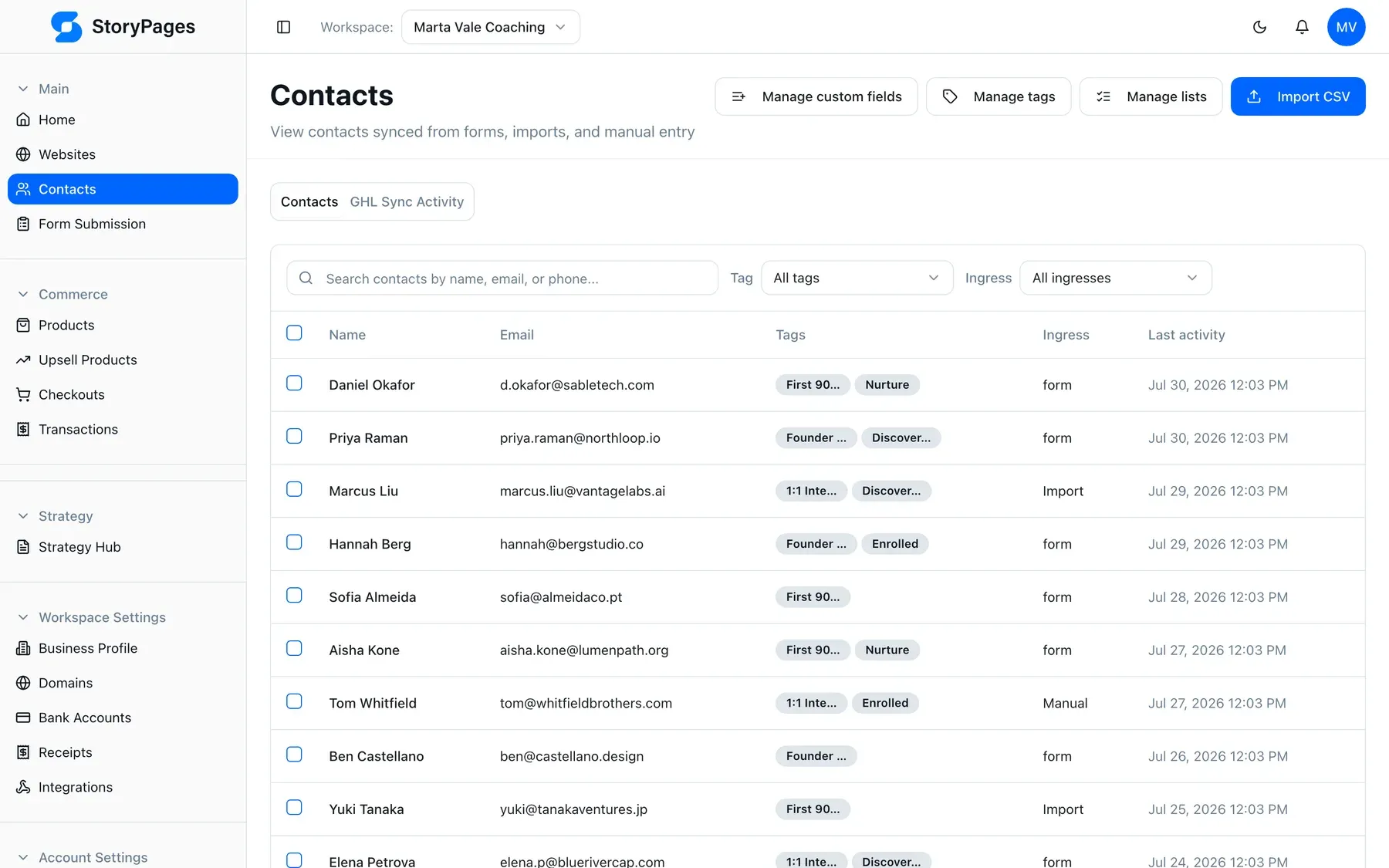
Then the delivery email. In email marketing you write one message that sends on the magnet tag: the file, a line about who you are, and one question — “what was the last mystery you loved?” Replies to that question are the most useful market research you will get for free, and they teach your provider that your mail is wanted.
Set up an ARC tag now even if you have no ARC readers yet. When you need thirty early reviewers eight weeks before a launch, having the tag already collecting volunteers is worth more than any launch tactic.
Launch-day checklist
Before you publish, walk this list. It takes fifteen minutes and prevents the three failures we see most.
- Every book page has every retailer link, and each one actually opens the right product.
- The newsletter form submits. Test it with your own address. Confirm the contact appears in the CRM with the right tag, and that the delivery email arrives with the file attached or linked.
- Your name is in the page title of the home page. Sounds obvious; gets missed.
- Reading order is stated in words on the series page, not implied by card order.
- The events page has a graceful empty state if nothing is scheduled — “no dates announced; join the newsletter to hear first” turns a dead page into a signup.
- Domain and SSL are attached. Hosting, domain, and certificate are handled in the platform, so this is a settings step rather than a support ticket.
- Check the AI visibility side. Your site publishes structured data for you
as a Person and each book as a Book, semantic markup, and an
llms.txt. It is on by default — see AI visibility for what that file does and why it matters now.
That last one is genuinely new. Readers increasingly ask ChatGPT what an author has written, or which book to start with, and get an answer assembled from whatever is machine-readable. If the only structured facts about your series live on a retailer page, that is the version of your bibliography that circulates.
Month two: what to do once it is live
Do not redesign. Do these four things instead.
Send something. Twice a month is plenty. The list decays if you only appear when you have something to sell, and the first email after six months of silence performs worse than any subject line can fix.
Add one page a month. A short essay, a reading-order explainer, a page about the setting, an interview you gave. Each one is another entry point, and pages about your specific world are exactly what AI answers cite.
Check what tags are growing. If the character map outperforms the free chapter three to one, that is your reader telling you what they want. Move it above the fold.
Add a funnel when you have something to launch. For a pre-order or a bundle, the funnel builder gives you a landing page, a checkout, and a follow-up sequence in the same account as the site — no second subscription, no reconnecting anything.
Why we built this for authors specifically
Because we kept getting the same call. A writer with a real audience, a publisher who considered the platform their problem, and a half-finished Squarespace site they were embarrassed by. We would build it, they would love it, and then it would freeze — because every change came back through us.
That is the whole reason StoryPages edits by conversation. Not because talking to software is novel, but because a site you can change yourself is a site that is still accurate two books later.
If you want the shape of the product rather than the walkthrough, read how it works, see the author use case, or compare it against what an agency would put you on in StoryPages vs GoHighLevel. Otherwise: open the builder, type the ugly honest paragraph, and have a site by lunch.