
For nonprofits

Tell the story, take the donation, keep the supporter

A site built around the story and the ask, with donations and supporter follow-up native to the platform rather than bolted on.

No credit card. Free plan available.

Sound familiar?

We have heard this from every nonprofit we worked with.

  • Your donation tool is a clunky bolt-on to a brochure site.
  • Nobody on staff owns "the website", so it drifts.
  • Supporter data lives in spreadsheets, and stewardship depends on memory.
  • The story that moves people is buried three clicks down.

James Cook Media built 300+ client websites and funnels before building this product. The pattern above is why it exists. Read the story.

What actually matters here

The four things that move the needle for you.

Every platform lists fifty features. These are the ones that decide whether this works for a nonprofit.
Donations are native, not bolted on

The platform grew out of a donation product, so giving, receipts, and supporter records are part of the core rather than a widget you embed and hope.

Story first, ask second

The build starts from the need you are addressing, because that is what converts a visitor into a supporter.

Supporters in a real CRM

Tags for first-time, recurring, and lapsed, so stewardship is a process rather than an act of memory.
Learn more

Findable when someone wants to help

Structured data and clean markup so assistants and search engines can surface your cause accurately.
Learn more
In the product

Real screens, not mockups.

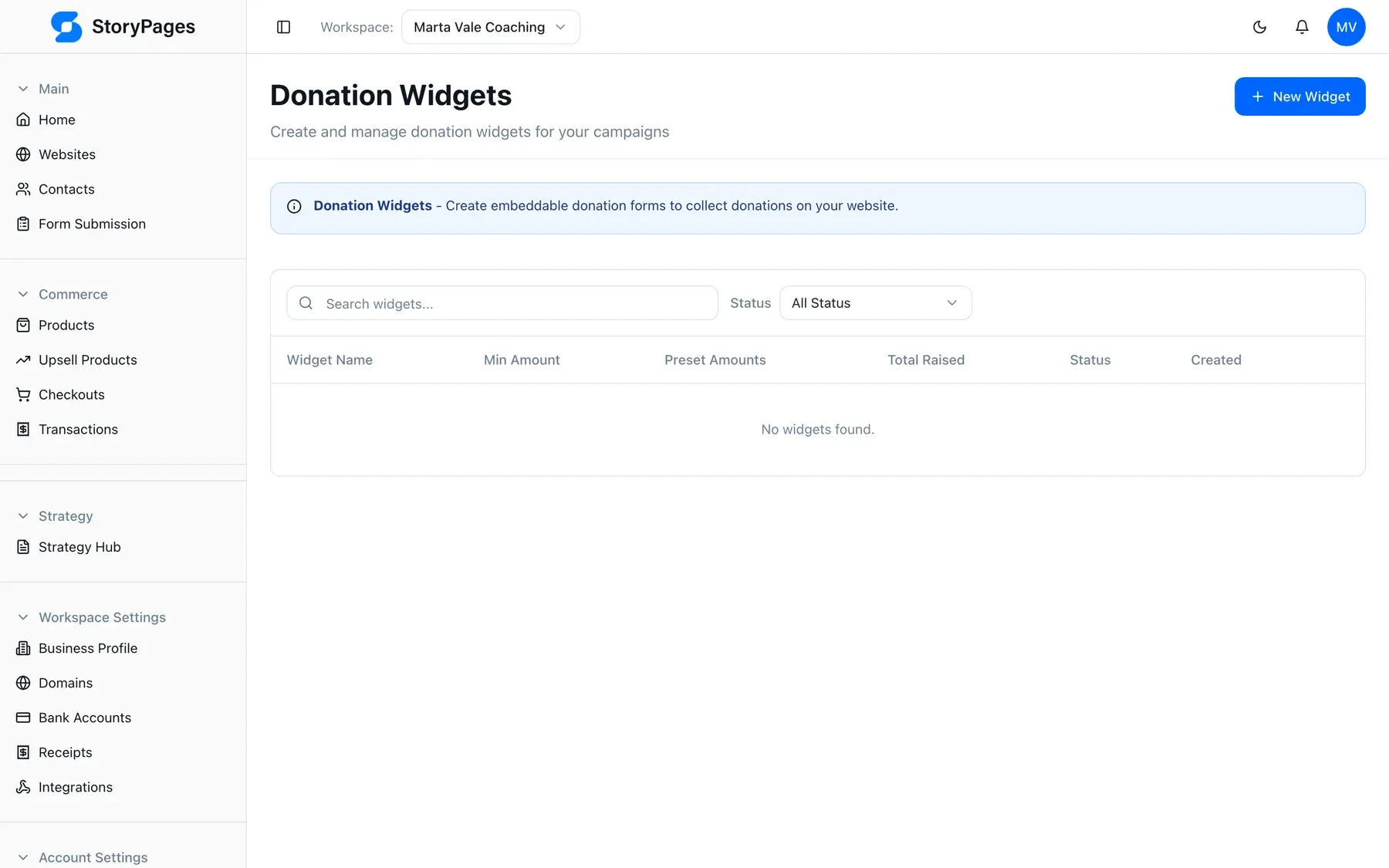
app.storypages.ai/admin/donation-widgets
StoryPages donation widget management screen
Donation widgets configured in the platform, not embedded from elsewhere.
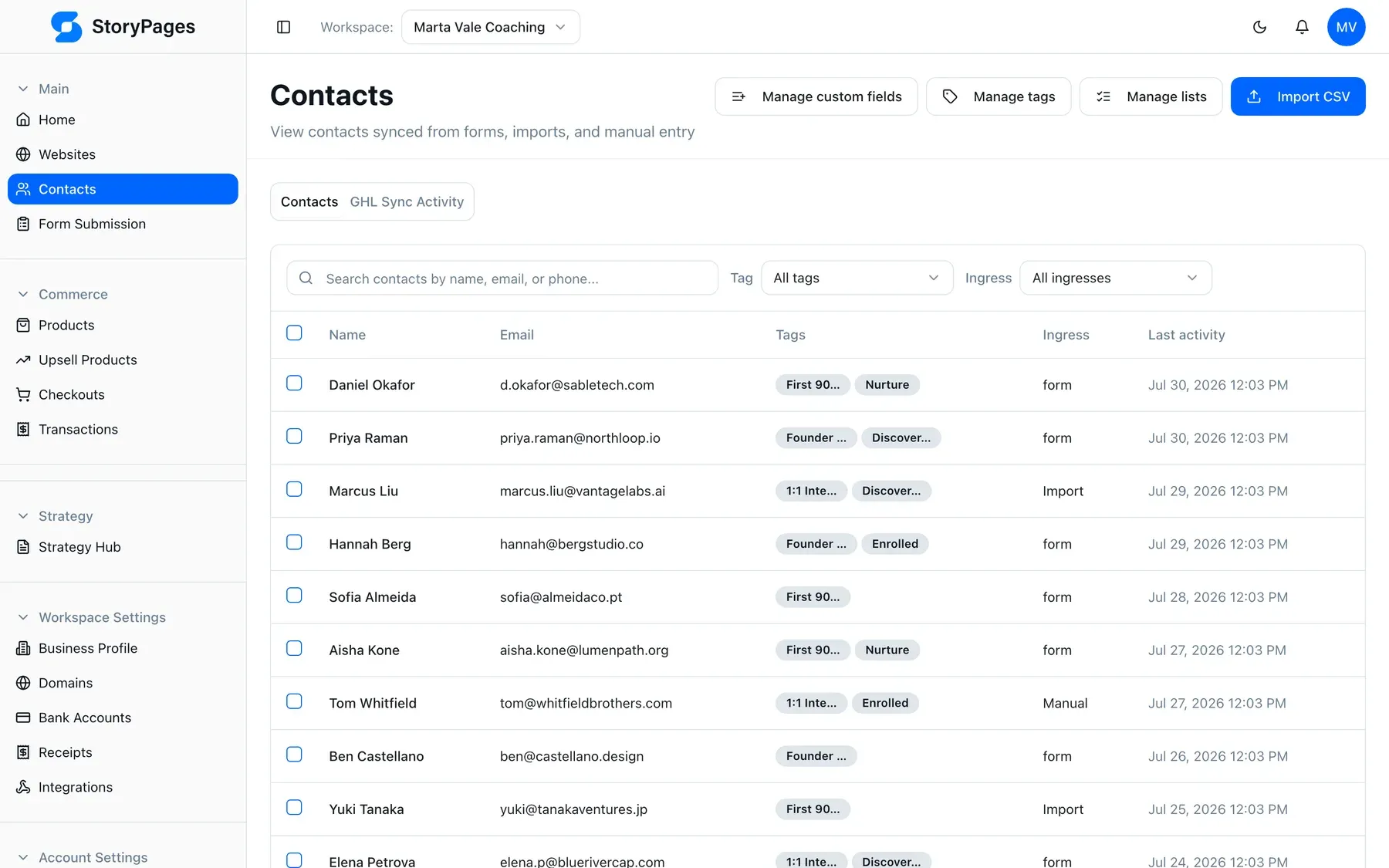
app.storypages.ai/admin/contacts
StoryPages CRM showing supporter records with tags
Supporters tagged by giving pattern and source.
How you get there

Five approvals, then it is live.

You are never handed a finished thing you did not agree to. You see the style, the structure, and the layout first.

Walk through each step
  1. 01

    Describe it

    One honest paragraph about the business, the people you serve, and what you want the site to do.

  2. 02

    Approve the look

    Type, colour, and voice proposed from your brand. Nudge anything that feels wrong.

  3. 03

    Check the sitemap

    See the pages it plans and why each exists — before any words are written.

  4. 04

    Approve wireframes

    Section-by-section layout. This is where you catch the thing you forgot.

  5. 05

    Go live

    Hosting, SSL, your domain, and AI-visibility defaults are handled.

Nonprofits: the questions we get asked

Can we take recurring monthly donations?
Yes. Recurring and one-off giving are both supported through the donation and payment features.
Is there a discount for registered charities?
Talk to us. Get in touch through the contact page and tell us about your organisation.
Who can update the site during a campaign?
Anyone you invite to the workspace, and updating means describing the change rather than editing templates.
Can we show impact figures that change over time?
Yes, and keeping them current is a two-minute job, which is usually the difference between a live impact page and a stale one.
Do donations show up alongside website enquiries?
Yes. Supporters and enquiries share one contact system, so you see the whole relationship in one record.

Build the site your nonprofit business deserves.

Describe it in your own words and see the proposed sitemap in minutes. Free to start, no card.