
Why your website, CRM, and email belong in one tool
The real cost of tool sprawl for solo operators — and the honest case for when an all-in-one platform beats best-of-breed, and when it does not.
Nobody chooses tool sprawl. It accretes.
You start with a website. Then you need a contact form that does more than email you, so you add a form tool. Then a newsletter, so you add an email platform. Then you want to know who opened it, so you add a CRM. Then none of them talk to each other, so you add the automation tool that connects them. Five subscriptions, five logins, and one person — you — as the integration layer.
We watched this happen across 300+ client builds at James Cook Media. It was never a bad decision. It was always a sequence of locally reasonable ones.
Tool sprawl is not a purchasing mistake. It is what happens when every individual decision is correct and nobody is accountable for the seams between them.
This piece is the argument for consolidation, made properly — including the part where consolidation is the wrong call.
Cost one: subscription stacking is the smallest problem
Let us dispose of the obvious cost first, because it is the one every all-in-one vendor leads with and it is the least important.
Yes, five tools at entry pricing add up to more than one tool. Entry plans in this category sit in the low tens of dollars each, so a modest stack lands somewhere well north of a hundred dollars a month. That is real money for a solo business.
But you would pay it happily if the stack worked. The reason consolidation is worth arguing about is everything below.
Cost two: the integration tax
Zapier and its equivalents are genuinely good software. The problem is not quality, it is that you have built infrastructure and appointed nobody to maintain it.
Integrations fail in a specific and nasty way: silently. An OAuth token expires. A field gets renamed in one tool and the mapping in the other tool keeps pointing at a name that no longer exists. A monthly task limit gets hit on the 22nd. None of these produce an alarm on your phone. They produce an absence — leads that simply do not arrive.
The cost is not the automation subscription. The cost is the three weeks before you notice, and the confidence you permanently lose in your own numbers.
Cost three: you cannot answer the only question that matters
Ask yourself where your last ten customers came from. Not roughly — specifically.
In a split stack, the answer lives in pieces. The landing page visit is in analytics. The form submission is in the form tool. The email engagement is in the email platform. The eventual sale is in your invoicing app or your head. Joining those records requires exports and a spreadsheet, so nobody does it, so marketing decisions get made on vibes.
When the page, the form, and the contact are one system, source is a field on the record from the moment it exists.
Cost four: the cognitive load of five logins
This one is hard to put on a spreadsheet and it is the one owners feel most.
Five tools means five mental models, five sets of jargon, five places a thing might be, and five products that each ship a UI redesign on their own schedule. The practical effect is not that work gets done slowly. It is that work does not get done. The email does not go out because sending it means remembering which list in which tool corresponds to which tag in the other tool.
Consolidation buys attention back. For a business where the owner is also the operator, attention is the actual scarce resource.
The honest counter-argument: best-of-breed really does win sometimes
I would not trust this article without this section, so here it is.
Specialists outgrow generalists. A dedicated email marketer will hit the ceiling of any all-in-one’s email tool within a quarter. Deliverability tuning, sophisticated send-time logic, deep A/B infrastructure — the specialist tools are better at these because that is all they do. If you employ someone whose whole job is email, buy them the email tool.
Single vendor means single point of failure. One outage takes down your site, your CRM, and your sending. In a split stack, an outage takes down a quarter of your operation. That is a genuine argument and we should not pretend otherwise.
Consolidation concentrates lock-in. Leaving one vendor who holds your site, your list, and your automations is a bigger project than swapping one component. The honest mitigation is exportability — contacts out as CSV, content out as text, domain pointed elsewhere without a support ticket. Ask us that question too.
Integrations are a strength when someone owns them. A team with a RevOps function does not experience the integration tax, because the tax is paid by a person whose job it is. If you have that person, best-of-breed is a legitimate architecture rather than an accident.
So: when is all-in-one the right call?
The dividing line is not company size. It is whether the owner is the operator.
All-in-one fits when:
- The person who decides is also the person who logs in.
- Headcount is one to five, and nobody’s job title is a single marketing function.
- Your total lead volume is small enough that every lead matters individually.
- You would rather have a good-enough email tool you actually use than an excellent one you never open.
Best-of-breed fits when:
- You have specialists per function.
- You have someone accountable for integrations.
- A single component’s ceiling is a real constraint you have already hit.
- Regulatory or procurement requirements force specific vendors.
Most people reading this are in the first list. Most software marketing is written for the second, because that is where the enterprise budgets are.
What one tool looks like in practice
Here is the path, concretely, with no glue in it.
The site. You describe your business, approve a style direction, a sitemap, and wireframes, and it goes live. The AI assistant stays available afterwards, so editing later is a sentence. That is how it works in full.
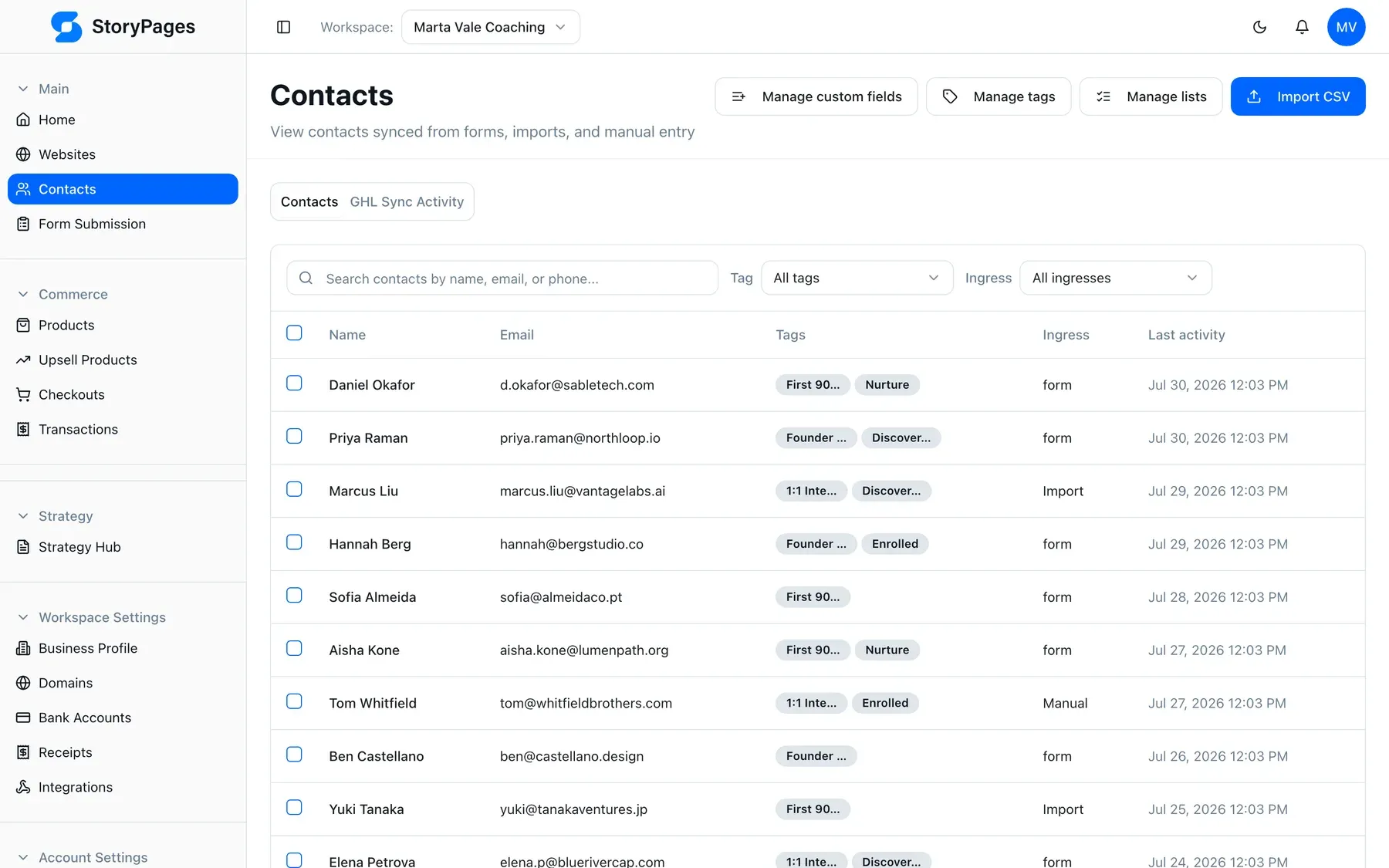
The form. Forms are part of the pages, not an embed from another vendor. A submission is not a notification email you then have to act on — it is a contact.
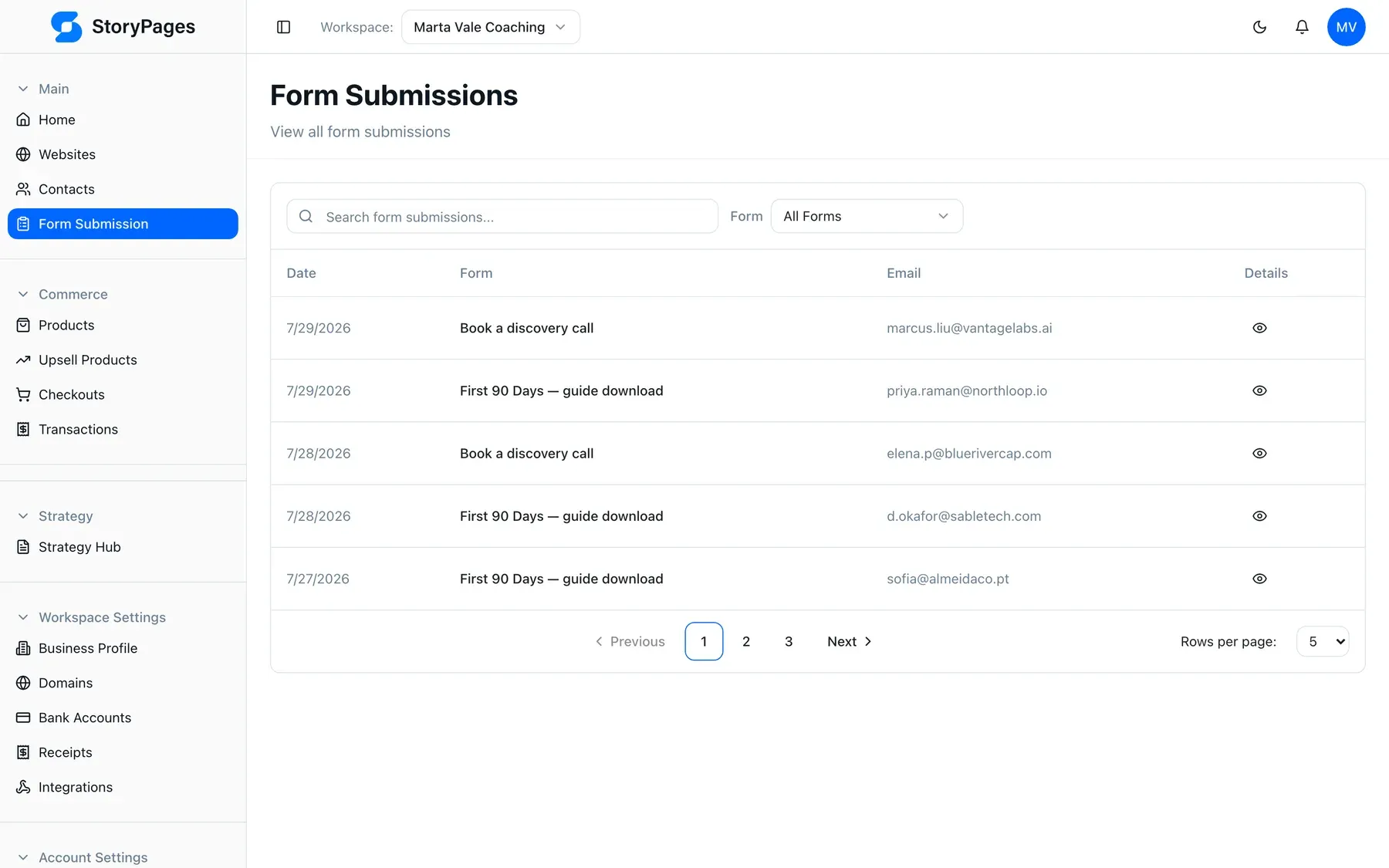
The CRM. Contacts carry tags, lists, custom fields, source, and last activity. There is no sync interval, because there is no sync. Details on the CRM page.
The segment. A tag applied by a form on a specific page is immediately a segment you can email. No mapping table, no field-name drift.
The email. Sending goes to a list in the same system that created it. Email marketing is a view of your CRM rather than a parallel copy of it.
The funnel. When you need a sequence of pages with an offer at the end, the funnel builder uses the same pages, the same forms, and the same contacts.
The point of that list is not that each component is best-in-class. It is that there are zero seams in it, and therefore zero seams to own.
The part we think is undersold
One more consolidation benefit that most all-in-one arguments miss, because it is new.
Because your site and your customer data live in one product, an AI assistant can work across both. StoryPages exposes an MCP server, so Claude or ChatGPT can read your site structure and your CRM in the same session — “draft a follow-up to everyone who came in through the pricing page last month” is one question, not a data export project.
That is only possible when the site and the contacts are in the same place. It is the strongest version of the consolidation argument and it did not exist two years ago.
We also ship AI visibility on every site by default —
structured data, llms.txt, semantic HTML, static pages — for the same reason.
The public face and the private data are one system, so both can be legible to
the tools your buyers now use.
Where we deliberately stay open
Consolidation should not mean walled garden. We keep the edges open in three places:
- Payments and analytics stay yours — see integrations.
- Contacts export as CSV, always, without a support conversation.
- MCP and API access mean a technical person can reach your data directly.
And for the internal side of a business — projects, operations, the databases that run the work rather than the marketing — we do not pretend one marketing tool should swallow that too. That is a different product with a different shape.
The summary I would give over coffee
If you have specialists, buy specialist tools and hire someone to own the wiring. That is a real architecture and it works.
If you are the owner, the marketer, and the person who logs in, the sprawl is not buying you capability. It is buying you five mental models and a set of silent failure points, and it is quietly stopping you from doing the marketing you already know you should do.
Pricing for the consolidated version is on the plans page — $29, $49, or $99 a month depending on sites, pages, and contacts, with a free plan to test the whole path first. More on why we build this way in the rest of the blog and on our about page.